Online tool for automating accounting processes
EasyFlex
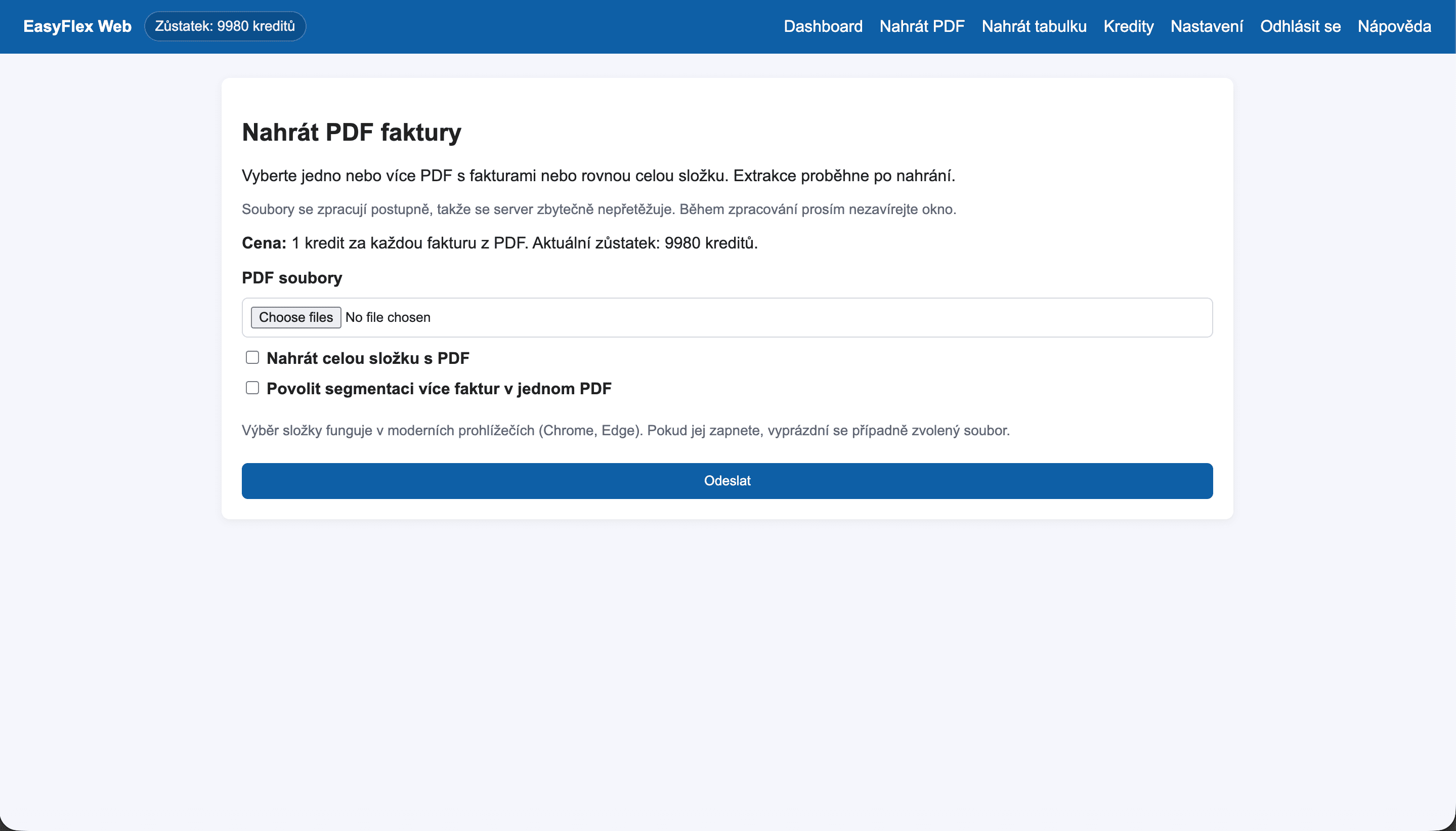
EasyFlex is a web application focused on automating accounting tasks. It allows users to upload invoices in PDF or spreadsheet format, set processing rules, and prepare data for import into the Abra FLEXI accounting system. The project's goal is to save time, reduce errors, and simplify the daily work of accountants and small businesses.
Highlights
Capacity planning
Realtime dashboards
Integration
Case study
Structured overview of the challenge, solution, and results.
Problem
Manual data processing
Accountants and small businesses often process invoices manually – transcribing data from PDF files or spreadsheets into the accounting system. This process is time-consuming, prone to errors, and very inefficient when dealing with a large number of documents. Existing solutions tend to be complicated, expensive, or not tailored for smaller users.
Solution
Accounting automation
EasyFlex was created as a simple tool that automates the transfer of accounting data. The user uploads an invoice or spreadsheet, sets basic processing rules, and the application prepares structured data for further use in the accounting system. The focus was on a clear interface, quick setup, and the ability to make easy adjustments without the need for complicated configuration.
Outcome
Time savings
The result is a flexible online application that significantly reduces the time needed to process documents. EasyFlex decreases the amount of manual work, limits errors caused by transcription, and allows accountants to focus on more important tasks. The project also serves as an example of practical use of automation and data handling in a real environment.

Visual
First version of EasyFlex
EasyFlex was originally developed as a desktop application. However, this approach complicated further development – each new modification or feature required creating a new version of the application and redistributing it. For faster iterations, easier maintenance, and better availability, I decided to convert the project into a web application. This step allowed for more flexible development, easier testing, and immediate deployment of changes without the need for users to install a new version.